Masked Textbox Control in VB.NET
 |
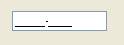
MaskedTextBox provides all the facility of simple TextBox Control.
It allows user to validate input by specifying mask property. Mask property is used to specify pattern that must be followed while entering text into MaskedTextBox. It does not allow user to enter text that does not comply with the pattern specified in the Mask property.
Thus MaskedTextBox control is used to restrict invalid input from user.
Properties of Masked Textbox Control in VB.NET
| Property | Purpose | ||||||
AllowPromptAsInput |
It is used to specify weather Prompt character can be entered as valid input character in MaskedTextBox or not. It has Boolean value. Default value is true. |
||||||
AsciiOnly |
It is used to specify weather only ASCII characters can be entered as valid input character in MaskedTextBox or not. It has Boolean value. Default value is false. |
||||||
BackColor |
It is used to get or set BackColor of the MaskedTextBox. |
||||||
BeepOnError |
It is used to specify weather control will generate system beep sound on each invalid character input or not. It has Boolean value. Default value is false. |
||||||
ContextMenuStrip |
It is used to specify the name of shortcut menu that is displayed when user right clicks on the MaskedTextBox. |
||||||
CutCopyMaskFormat |
While cut or copy MaskedTextBox contents into clipboard this property is used to specify weather to: |
||||||
Enabled |
It is used to specify weather MaskedTextBox Control is enabled or not at run time. It has Boolean value. Default value is true. |
||||||
Font |
It is used to set Font Face, Font Style, Font Size and Effects of the text associated with MaskedTextBox Control. |
||||||
ForeColor |
It is used to get or set Fore color of the text associated with MaskedTextBox Control. |
||||||
HidePromptOnLeave |
It is used to specify weather Prompt character is displayed or hide when focus is lost from MaskedTextBox. It has Boolean value. Default value is false. |
||||||
HideSelection |
It is used to specify weather text selection should be hidden or not when MaskedTextBox lose its focus. It has Boolean value. Default value is true. |
||||||
InsertKeyMode |
It is used to get or set method used for input characters in MaskedTextBox. It has following 3 options: |
||||||
Mask |
It is used to get or set format string which determines weather characters entered in MaskedTextBox are valid or not. |
||||||
PasswordChar |
It is used to get or set a character that is displayed for each input characters in MaskedTextBox. |
||||||
PromptChar |
It is used to get or set Prompt character for MaskedTextBox Control. This character is displayed in MaskedTextBox when user has not entered any character. |
||||||
ReadOnly |
It is used to specify weather text associated with MaskedTextBox is ReadOnly or not. It has Boolean value. Default value is false. |
||||||
RejectInputOnFirstFailure |
It is used to specify weather input is rejected or not when entered characters are not complying with the pattern specified in mask property. It has Boolean value. Default value is false. |
||||||
ResetOnPrompt |
It is used to specify weather to reset and skip the current position when the input character is same as prompt character. It has Boolean value. Default value is true. |
||||||
ResetOnSpace |
It is used to specify weather to reset and skip the current position when the input is space character. It has Boolean value. Default value is false. |
||||||
Text |
It is used to get or set text associated with MaskedTextBox Control. |
||||||
TextAlign |
It is used to get or alignment of the text associated with MaskedTextBox Control. |
||||||
TabIndex |
It is used to get or set Tab order of the MaskedTextBox. |
||||||
TabStop |
It is used to specify weather user can use TAB key to set focus on MaskedTextBox Control or not. It has Boolean value. Default value is true. |
||||||
TextMaskFormat |
It is used to get or set value which determines the text that is returned from MaskedTextBox Control can contains literal, prompt , both or none. It has following 4 options: |
||||||
UseSystemPasswordCharacter |
It is used to specify weather each input character that is entered in MaskedTextBox is displayed as System Password character or not. It has Boolean value. Default value is false. |
||||||
Visible |
It is used to specify weather MaskedTextBox Control is visible or not at run time. It has Boolean value. Default value is true. |
||||||
Methods of Masked Textbox Control in VB.NET
| Method | Purpose |
Append Text |
It is used to append text at the end of current text in MaskedTextBox Control. |
Clear |
It is used to clear all text from MaskedTextBox Control. |
Cut |
It is used to move current selection of MaskedTextBox into clipboard. |
Copy |
It is used to copies selected text of MaskedTextBox in clipboard. |
Paste |
It is used to replace current selection of MaskedTextBox by contents of clipboard. It is also used to move contents of Clipboard to MaskedTextBox control where cursor is currently located. |
Select |
It is used to select specific text from MaskedTextBox. |
SelectAll |
It is used to select all text of MaskedTextBox. |
DeselectAll |
It is used to deselect all text selected in MaskedTextBox. |
Show |
It is used to show MaskedTextBox at run time. |
Hide |
It is used to hide MaskedTextBox at run time. |
Focus |
It is used to set input focus on MaskedTextBox at run time. |
Events of Masked Textbox Control in VB.NET
| Event | Purpose |
MaskInputRejected |
It is the default event of MaskedTextBox. It fires each time a character entered in MskedTextBox does not comply with Mask Property. It means if character entered in MaskedTextBox does not match with the pattern specified in Mask property then this event fires. |
MaskChanged |
It fires each time a mask property is changed. |
TextChanged |
It fires each time a text in the MaskedTextBox control changed. |